


That friction is real, and it adds up fast. A YouTube description isn't just a summary - it needs to include the right keywords, formatted timestamps, links and a call to action, all within character limits that affect how YouTube shows and ranks your content. Doing that manually for every video, after already writing a full blog post, is the repetitive work that quietly kills your publishing momentum.
That's where AI earns its place in your workflow. Instead of starting over, you can feed your existing WordPress content into an AI tool and walk away with a polished YouTube description in minutes - one that's already lined up with what you wrote, optimized for search and ready to paste. The hard part is learning which tools to use, what constraints to work within and how to build a repeatable process that doesn't need babysitting every time.
I'll walk you through it - the character limits that actually matter on YouTube, the AI tools that are a good choice for this task and how to connect your WordPress content to a workflow that generates strong descriptions without the double effort.
Short Summary
To use AI to write YouTube video descriptions from WordPress posts, install an AI-powered plugin like Jetpack AI or a similar tool that integrates with WordPress. Open your post, select the relevant content, and prompt the AI to generate a YouTube description by summarizing the key points. You can also copy your post content, paste it into an AI tool like ChatGPT, and request a concise, keyword-rich description optimized for YouTube. Edit the output to include links, hashtags, and timestamps before publishing.
What YouTube's Character Limits Mean for Your Description Strategy
YouTube gives you a generous 5,000 characters to work with in a video description. That's quite a bit. But the part that does the heavy lifting is much smaller than that.
On desktop, YouTube shows about 157 characters before cutting off with a "Show more" link. On mobile, that number drops to around 100 characters. So the first sentence or two of your description carries most of the weight, grabbing attention and communicating what the video is about.
That opening line is prime real estate - it needs to do a job: tell viewers what they're going to get and give search algorithms something to work with, all before the cut-off point.
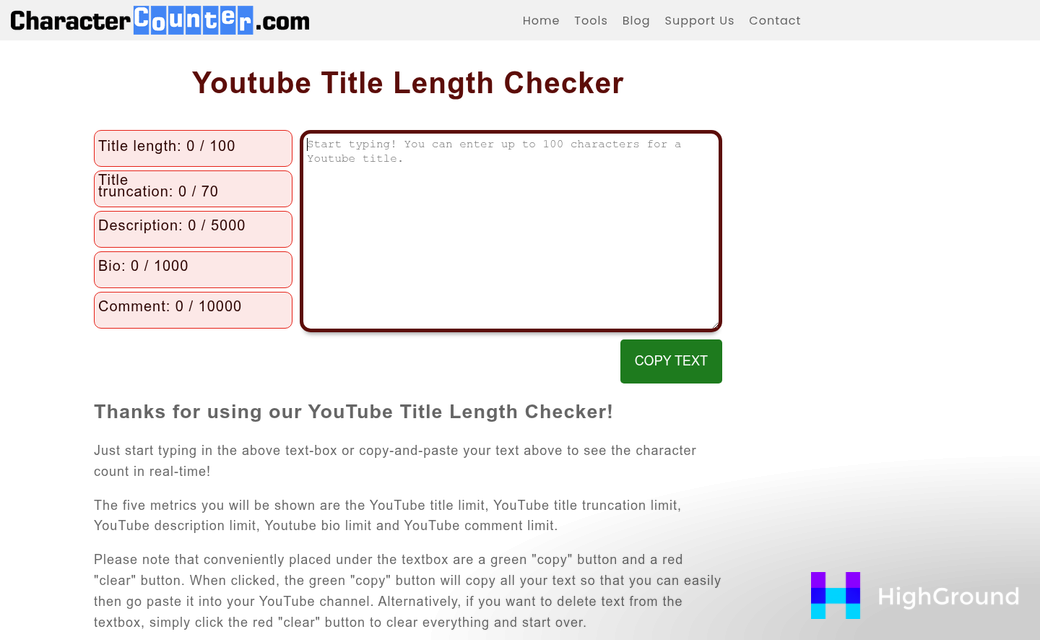
Your video title has its own constraints too. YouTube allows up to 100 characters. But search results usually truncate titles at around 70. That means a title written to fill the full 100 characters might get cut off in the wrong place. Tags have a combined limit of 500 characters, with each individual tag capped at 30 characters.
| Element | Max Limit | Visible Before Truncation |
|---|---|---|
| Video Title | 100 characters | ~70 characters in search |
| Description | 5,000 characters | 157 desktop / ~100 mobile |
| Tags (total) | 500 characters | Not visible to viewers |
| Individual Tag | 30 characters | N/A |
The visible portion of a description is a small fraction of the total limit. The rest of the 5,000 characters still matters for search indexing and for viewers who do expand the description. But the opening lines are what will actually be read without any extra clicks.
That's why the structure of a YouTube description needs to be intentional from the first word. What you say matters. But so does where you put it. A WordPress post is written to be read top to bottom, with context building slowly. A YouTube description works differently, and that gap in format is what makes copy-pasting a post straight into the description field a losing strategy.
Why WordPress Posts Don't Translate Directly Into YouTube Descriptions
A blog post is built to be read - it has an introduction to warm the reader up, subheadings to break up the content, and long paragraphs that build on each other. A YouTube description works differently - it should have a punchy opening line, then links, timestamps, and hashtags - all packed into a format that won't even expand past the first two lines.
That structural gap is the problem. You can't paste a blog post intro into a description field and expect it to work. The pacing is wrong, the job is wrong, and the first sentence is almost never the right one to lead with.
What someone watching your video actually needs in the first two lines is the knowledge of what the video covers and why it's worth their time; it's a very different job from what a blog post intro was built for.
Your WordPress post is still legitimately helpful raw material - it already has the keywords you want to rank for, the context behind the topic, and the core message you're trying to get across. That information doesn't go to waste - it just needs to be reframed.

The goal is results, not transcription. You're not copying your blog post into a description box. You're pulling the most relevant pieces out and rebuilding them in a format that fits how YouTube works.
A common blog post could be 1,500 words. A YouTube description might use 150 of them well. So the work isn't condensing everything - it's picking what actually belongs there. A viewer who just watched your video doesn't need the full post. They need a quick summary, a way to go deeper if they want to, and maybe a link or two to take the next step.
This is where AI starts to earn its place in the process - it can read through a long post and pull out what matters for a description without getting attached to the parts that don't fit. But to use it well, you'll have to know which tool is worth your time - and that's where we're headed next. If you're still evaluating options, comparing how different AI tools handle long-form content is a good place to start.
Choosing the Right AI Tool for the Job
Not every AI tool is built with YouTube descriptions in mind, so it pays to look at what each one does before committing to a workflow. Three tools worth looking at are Rank Math Content AI, TextCortex, and Taskade, and each takes a slightly different approach, and the right fit can depend on how you work.
If you already use Rank Math as your WordPress SEO plugin, its Content AI is the most natural place to start- it gives you access to over 40 AI writing tools and lets you generate as many as 10 YouTube descriptions at once. That batch generation feature is helpful if you're working through a backlog of videos or want to test a few different angles before picking one.
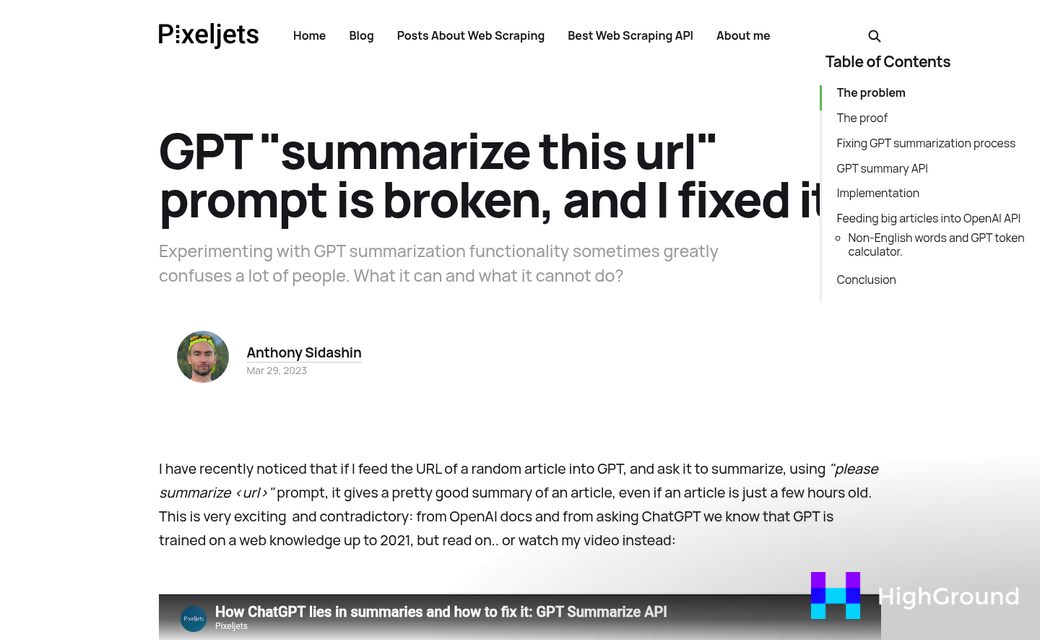
TextCortex takes a different angle- it was trained on the top 10 million YouTube descriptions, which means it has a much stronger sense of what works on the platform. That focused training can make a difference if you want descriptions that feel native to YouTube instead of repurposed from a blog post- it also has a free tier, which makes it easy to test without spending anything.
Taskade is worth a look if you're working with a small team. Paid plans start at $10 per month (billed annually) and cover as many as 10 members, so the cost stays manageable. You also get 6,000 free credits when you sign up, which gives you plenty of room to get a feel for it without any pressure.
Let's talk about how the three tools compare across a few areas that matter.
| Tool | Key Feature | Starting Cost |
|---|---|---|
| Rank Math Content AI | 40+ AI tools, up to 10 descriptions at once | Varies by Rank Math plan |
| TextCortex | Trained on top 10M YouTube descriptions | Free tier available |
| Taskade | 6,000 free credits on signup | $10/month (billed annually) |
The right choice can depend on your goals. If WordPress integration matters most, Rank Math is hard to ignore. If you want YouTube-native output and a low barrier to entry, TextCortex makes sense. If you're collaborating with others, Taskade's team-friendly pricing is worth factoring in before deciding which tool delivers the best value.
How to Feed Your WordPress Content Into an AI Tool
Once you have an AI tool ready to go, the next step is to get your WordPress content into it in a way that works. There are a few ways to do this depending on the tool you chose.
The simplest strategy is to copy the text from your WordPress post and paste it directly into the AI prompt - this works fine for shorter posts. But for anything longer than a few hundred words, you want to be more selective about what you paste in.
Some AI tools let you paste a URL and will pull the content automatically. If your tool supports this, it can save you a step. But always check what it reads. Some tools miss formatting or skip sections, and you want to be confident the AI is working from the full picture.
For longer posts, a better move is to pull just the sections that matter - your intro, your subheadings, and your conclusion. This gives the AI a condensed version of your post that still captures the key points without overwhelming it with detail.
AI output is only as focused as the input you give it. If you dump a 2,000-word post into a prompt with no direction, you'll probably get a vague, rambling description that tries to cover everything and lands on nothing helpful. If you're working with long-form content regularly, it helps to use AI to generate post outlines before you write, so the structure is already clean when you go to repurpose it.
A prompt pairs your content with a little context. Tell the AI what the video is about, who it's for, and what you want the description for. Something like "Write a YouTube description for a video about [topic] aimed at [audience]. Use this blog post as the source" will get you more than a raw paste.
One thing worth building into your prompt is a request for a strong opening line. YouTube descriptions get cut off in search results at around 157 characters, so the first sentence needs to pull the reader in fast and tell them what the video covers. The same principle applies when you're writing meta descriptions for WordPress - front-loading the value matters.
| Input Method | Best For | Watch Out For |
|---|---|---|
| Full post paste | Short posts under 500 words | Unfocused output on longer content |
| URL input | Tools with web access | Incomplete content reads |
| Key sections only | Long or complex posts | Missing nuance if too condensed |
Editing and Optimizing the AI Output Before Publishing
Once you have a draft, resist the urge to copy and paste it straight into YouTube. AI descriptions need a few passes before they're ready to publish.
The first thing to check is your opening line. YouTube cuts off descriptions in search results at around 157 characters, so whatever comes first needs to do the heavy lifting - it should tell a viewer what the video covers and include your main keyword. If the AI gave you a vague or overly general opener, rewrite it yourself - a line is worth the extra minute.
Next, look at where links and timestamps sit in the description. Links placed too early can distract viewers before they've had a chance to connect with the content. A rule of thumb is to put timestamps near the top for navigation and move affiliate links or external resources toward the bottom. The AI won't know your video's structure, so you'll need to add timestamps manually after the description is in place.
Hashtags are another area to watch. AI tools sometimes pile them in at the end like an afterthought, or they repeat the same idea in three. YouTube only uses the first three hashtags in a description for display purposes, so pick three that are actually relevant and leave it at that.

A helpful test is to read the description out loud. If it sounds like something a person would never say, it probably needs work. Robotic phrasing, repetitive sentences and filler words are all signs the AI was padding instead of communicating. Trim anything that doesn't add information or move the reader forward.
It also helps to ask two questions before you finalize the description. Does it tell a viewer what they'll get from watching? Does it give YouTube's algorithm enough to know what the video is about? Both matter. A description that speaks only to the algorithm sounds hollow to viewers, and one written purely for humans might not rank at all. If you're also managing keyword overlap across your site, the same discipline applies - precision matters more than volume.
The goal is a description that reads well, front-loads the information that matters most, and includes your keywords without feeling forced. AI gets you most of the way there - but that last bit of editing is what separates something generated from something actually written. If you want to see how different AI writing tools handle copy optimization, it's worth comparing a few before settling on one for your workflow.
Turn a Two-Step Headache Into a One-Click Habit
Keep the what-matters constraints in mind as you put this into practice. YouTube shows roughly 157 characters before the "Show more" cutoff, so lead with the most important information. The full description can run as high as 5,000 characters, and it gives you room to include timestamps, links, and keywords further down. No AI output is ready to paste and publish - a quick read-through to adjust the tone, correct anything off-brand, and add your own links or calls to action makes the final result feel human. If you want a smoother editorial process overall, see how AI compares to human editors for fixing readability in WordPress.
To make it concrete, open one post you've already published, drop the content into whichever tool you tried today, and generate a description - it takes a few minutes, and you'll immediately see how much of the work is already done. Pairing this with automatic internal and external linking in WordPress can save even more time across your content workflow.
FAQs
What is YouTube's description character limit?
YouTube allows up to 5,000 characters in a video description, but only about 157 characters are visible on desktop before truncation. Mobile shows even less, around 100 characters, making your opening lines the most critical part of any description.
Why can't I paste my WordPress post directly into YouTube?
Blog posts are structured to build context gradually, while YouTube descriptions need a punchy opening line followed by links and timestamps. The pacing and purpose are different, so direct copy-pasting produces poorly formatted, ineffective descriptions.
Which AI tool is best for YouTube descriptions?
It depends on your workflow. Rank Math Content AI suits WordPress users, TextCortex is trained on millions of real YouTube descriptions, and Taskade works well for small teams. Each has a free tier or trial option to test before committing.
How should I feed WordPress content into an AI tool?
For short posts, paste the full text. For longer posts, extract just the intro, subheadings, and conclusion. Always include a clear prompt telling the AI the topic, target audience, and that you need a YouTube description.
Do I need to edit AI-generated YouTube descriptions?
Yes. Always review the opening line for clarity and keywords, add timestamps manually, limit hashtags to three relevant ones, and remove any robotic or padded phrasing. AI drafts get you most of the way, but human editing finalizes the result.