


Here's the problem: most websites aren't keeping up. Fewer than 30% of sites use schema markup correctly, which means the difference between sites that show up in AI-driven results and those that don't is widening fast. For WordPress site owners, this gives you an opportunity - if you can do schema accurately, you're ahead of the majority of your competition who haven't even touched their content strategy.
The catch is that writing schema by hand is tedious, error-prone, and legitimately hard to scale. A single product page might need five or six interlocking schema types to be optimized; it's where AI tools come in. The right tool can generate clean, valid JSON-LD in seconds, catch errors that would otherwise go unnoticed, and integrate directly with your WordPress workflow.
I'll break down the best AI-powered tools for generating WordPress schema markup in 2026 - what they do well, where they fall short, and which ones are worth your time depending on how you build and manage your site.
Short Summary
The best AI tools for generating WordPress schema markup in 2026 include Rank Math AI, which automates schema generation within WordPress, Yoast SEO's AI features for structured data, Schema Pro with AI assistance, and standalone tools like ChatGPT or Gemini for custom schema code generation. Additionally, Semrush's AI writing tools and Surfer SEO offer schema suggestions. For most WordPress users, Rank Math AI provides the most seamless integration, automatically applying appropriate schema types based on content without manual coding.
Why Schema Markup Has Become Non-Negotiable for WordPress Sites in 2026
Schema markup is structured data that tells search engines what your content means - not just what it says. It's the difference between Google seeing a block of text and Google knowing that you're selling a product, publishing a recipe, or listing a local business. That distinction matters more than ever now that AI-powered search results pull from structured data to build answers directly on the results page.
Pages with rich results - the star ratings, prices and FAQ snippets you see in search - get as high as 30% higher click-through rates than pages without them; it's not a small edge. If two pages rank in the same position, the one with schema is usually going to win the click.
For WordPress users, this is where things get uncomfortable. WordPress powers a giant share of the web and WooCommerce alone has over 5 million active installs. But as of WordPress 6.7, WooCommerce still doesn't generate Product schema by default. That means store owners are sitting on some of the most schema-dependent content on the internet - product pages - with no structured data to show for it.
Search engines use schema to know reviews, availability, price ranges and more. If you don't have it, a product page looks like any other page. You lose the rich result, you lose the visual edge in search and you lose clicks to competitors who have their schema set up correctly.
The wider WordPress ecosystem has a similar gap. Themes and page builders don't reliably output structured data and the default schema from most SEO plugins only covers the basics. As search engines grow more refined in how they interpret and display content, "good enough" schema is no longer enough to look great.
The good news is that AI tools have made it much easier to generate accurate schema without needing to write a line of JSON-LD by hand. But before diving into the tools, it helps to know why doing this manually has always been a problem.
The Real Problem With Writing Schema Markup by Hand
Schema markup looks easy until you actually sit down to write it. The JSON-LD syntax is fussy, the list of recommended properties is long, and one misplaced bracket can break the whole block without throwing a visible error on your page.
The time cost alone is worth considering. Writing accurate schema for a single page - checking the right type, mapping your content to the correct fields, validating the output - takes around ten minutes if you know what you are doing. Across a site with five hundred posts or product pages, that can add up to over eighty hours of work. Most site owners don't have that time, so schema gets skipped or half-finished.
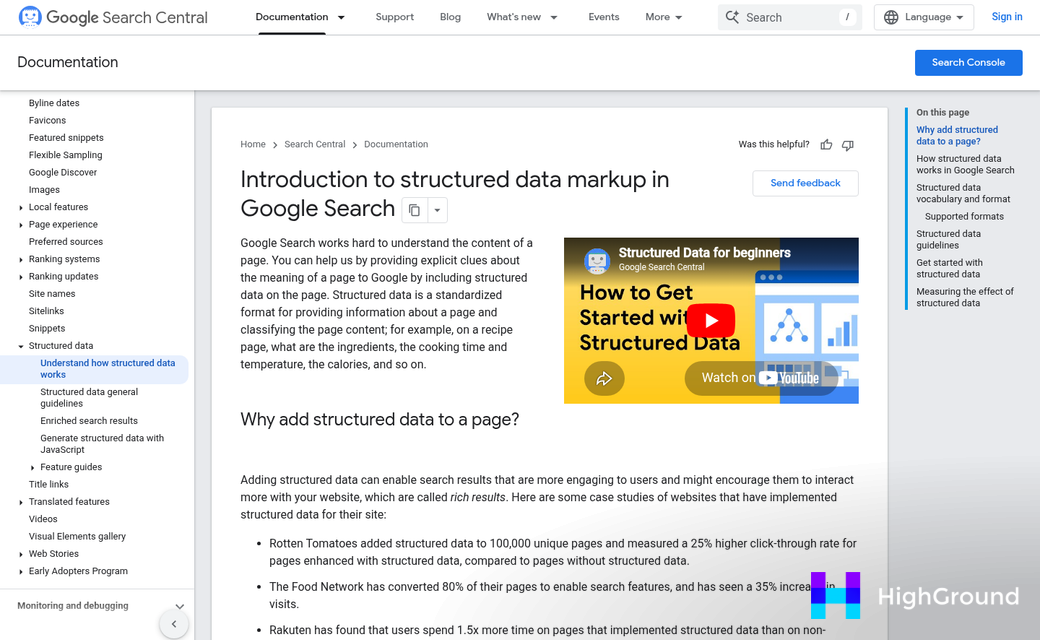
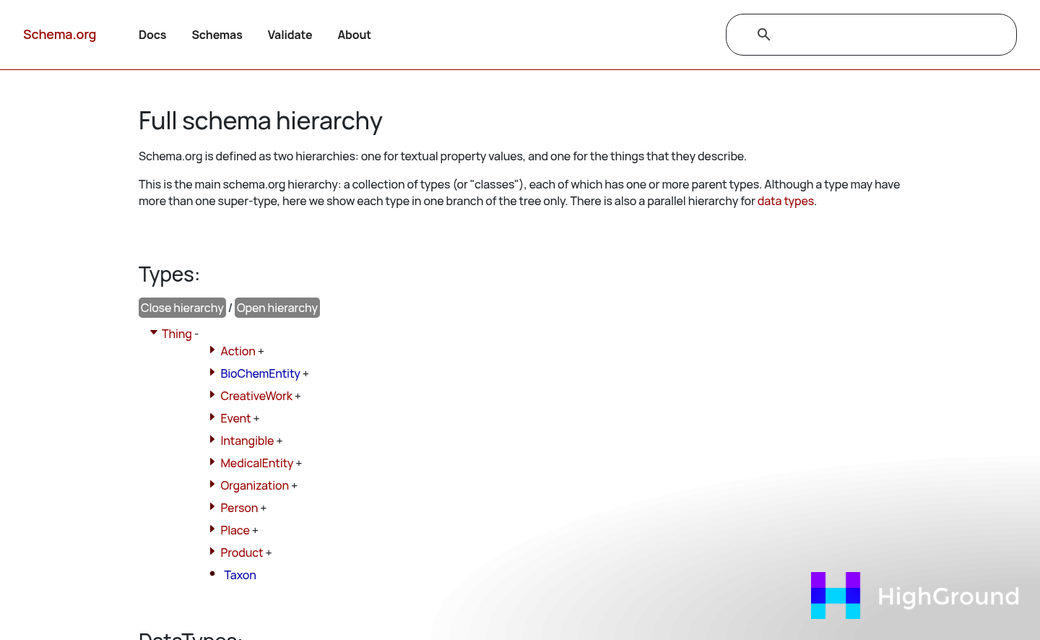
Developers tend to underestimate how easy it is to get schema wrong even with experience. The schema vocabulary at schema.org updates regularly, and a type that was standard two years ago may now have deprecated properties or a better-fit replacement - it's easy to build out a whole template with outdated markup and have no idea until Google flags it.
That flagging happens quietly. Google Search Console can log structured data errors for months before anyone notices, because these errors don't break page layouts or trigger obvious warnings. A site owner might assume their schema plugin is taking care of everything. But Search Console has been logging missing fields or invalid values the entire time.
The trickiest part is context. Schema types don't exist in isolation - a Product page might need nested Offer, AggregateRating, and Review markup to be helpful to search engines. The nesting, the correct property names, and the data matching what is actually on the page are all difficult to get right by hand at scale. Tools like bulk editing plugins for WordPress can help, but schema still requires careful field-level accuracy that automated bulk edits alone won't guarantee.
It's not about skill - it's about the gap between how much schema a site needs and how practical it is to write that markup manually for every page, post, and product type. For sites producing content at volume, scaling with AI requires a deliberate strategy to keep structured data accurate alongside the content itself.
How AI Schema Generators Actually Work Inside WordPress
Most AI schema tools follow a similar process under the hood. They read your page content, figure out what type of content it is, and then produce the right schema markup to match.
The reading part is more involved than it sounds. The tool pulls from a few sources at once - your post type, the body content, your meta title and description, and sometimes your categories or tags - it uses that together to choose if your page is a post, a product, a recipe, a local business listing, or something else entirely. The more context it has, the more accurate the output tends to be.
Once it maps the content to a schema type, it outputs valid JSON-LD code. JSON-LD is the format Google prefers for structured data, and it works with WordPress because it sits in the page's head section instead of being mixed into your content. That makes it much easier to add, update, or remove without touching your posts.
The output gets injected automatically into your page so you never have to paste code manually. That alone removes a big source of human error.
There's an important distinction to know before comparing tools. Some tools generate schema on demand - you open a post, hit a button, and it builds the markup for that page. Others run in bulk and apply schema across your whole site automatically based on rules you set up in advance. The better strategy can depend on the size of your site and how much control you want over individual pages.
On demand generation gives you more flexibility to review and change things. Bulk automation saves quite a bit of time if you have hundreds of posts to cover. Some of the better tools in 2025 let you do both within the same plugin. If you're managing a large library, it's worth reading up on WordPress content pipeline automation to understand how schema fits into a broader workflow.
Knowing how these tools manage input and output gives you a much better lens for judging which one fits your setup.
Top AI-Powered WordPress Plugins for Schema Generation
Three plugins look great in 2026 for taking the manual work out of schema markup, and each one takes a different strategy, so learning about what they do helps you pick the right fit for your site.
AISchemaGen is the heaviest hitter for volume - it supports over 827 schema types and can generate markup in around 30 seconds. The free plan includes 30 generations per month, which is a basic amount to test it on a site before committing to a paid tier.
AIOSEO released version 4.9.6 on May 5, 2026, and it came with a newly launched AI Schema Generator alongside bulk SEO tools. If you already use AIOSEO for other SEO tasks, the schema tools slot in without any extra setup. The free plan is limited, but the bulk generation feature alone makes the paid version worth a look for bigger sites.

Rank Math's free tier supports 18 schema types, which covers most content types for a standard WordPress site. What makes it interesting in 2026 is its automated llms.txt generator. That file helps AI crawlers understand your site structure, which matters more now that search engines increasingly use large language models to interpret content - something worth considering if you're working to optimize WordPress content for AI overviews.
| Tool | Schema Types | AI Feature | Free Plan |
|---|---|---|---|
| AISchemaGen | 827+ | Auto-generates in 30 seconds | 30 generations/month |
| AIOSEO 4.9.6 | Multiple | AI Schema Generator + bulk tools | Limited |
| Rank Math | 18 (free tier) | llms.txt auto-generator | Yes |
All three plugins manage the technical output, but they can vary in scope and target user. AISchemaGen fits sites that need a number of schema types fast. AIOSEO works for teams taking care of SEO at scale. Rank Math is a starting point if you want a free, reliable option with a modern feature built in.
Matching the Right Schema Type to Your WordPress Content
Before you generate a single line of schema, it helps to know which schema type actually fits your content. Getting this wrong can do damage to how Google reads your pages. Marking up a product page with Article schema, just to give you an example, tells search engines the wrong story about what that page is for.
Think about your site's primary content type first. A local business site needs LocalBusiness schema to show things like opening hours and a phone number. A recipe blog needs Recipe schema to get those rich results with star ratings and cook times. An events site needs Event schema and a FAQ page needs FAQPage schema - each one unlocks a different result type in search.
Here's a quick reference for the most common WordPress use cases.

| Content Type | Recommended Schema | Key Fields It Unlocks |
|---|---|---|
| Blog post | Article or BlogPosting | Author, publish date, headline |
| Product page | Product | Price, availability, reviews |
| Local business | LocalBusiness | Address, hours, phone number |
| Event listing | Event | Date, location, organizer |
| FAQ page | FAQPage | Question and answer pairs |
| Recipe post | Recipe | Cook time, ingredients, rating |
Some AI tools will auto-detect your content type based on the page structure or post category. Others ask you to choose the schema type manually before they generate anything. If your tool needs manual input, take a bit to check this out right instead of just picking the nearest option. If you're also using AI to auto-generate answer blocks for FAQ sections, matching the right schema is especially important.
It's also worth knowing that some pages need more than one schema type. A local business with an FAQ section on its homepage can use LocalBusiness and FAQPage schema together without any conflict. Tools that automatically write and publish blog posts may handle this layering differently, so it's worth checking how your setup handles multiple schema types on a single page.
Testing and Validating Schema Output Before It Goes Live
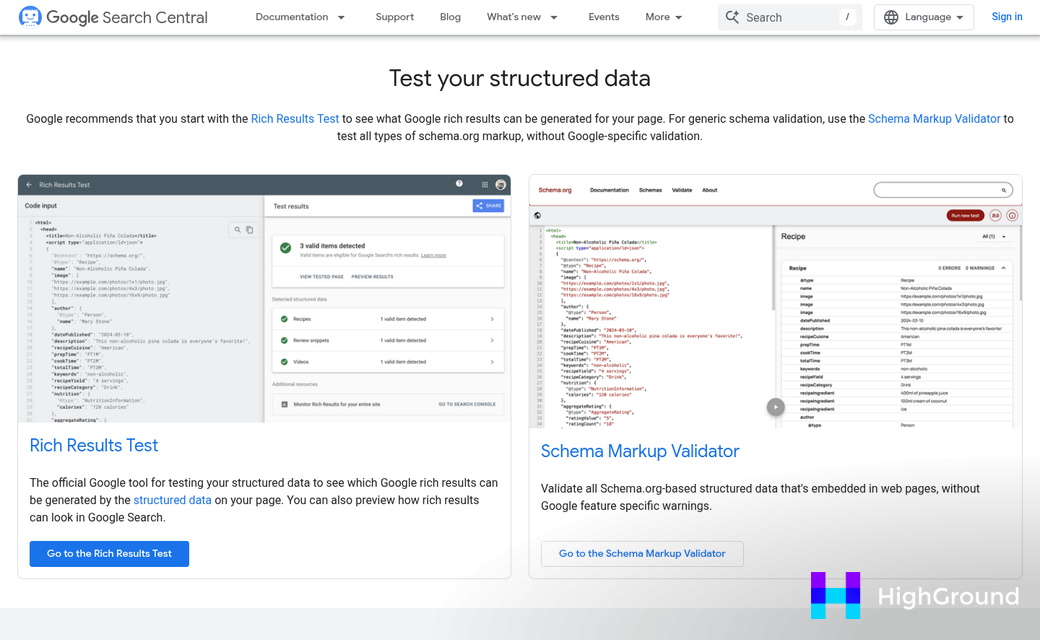
Once your AI tool generates schema markup, the next step is to check that it works before you publish it. Two tools manage this well. Google's Rich Results Test will tell you if your schema is eligible to display as a rich result in search. Schema.org's validator checks the markup against the official specification and flags anything that looks wrong.
Both tools are free to use. You paste in your URL or the raw code and run the test - it takes about ten seconds and can save you from publishing something that does nothing.
You will usually see two types of feedback: errors and warnings. Errors mean the schema is broken or missing something that Google needs to read it. Warnings are more like suggestions and they point to fields that could make your markup more complete. Errors are worth fixing immediately because they stop your schema from working at all.
Warnings are worth a look but they are not urgent. If a warning flags a recommended property you can add, go ahead and add it. Missing a few optional fields will not hurt you. But filling them in gives search engines more to work with.
Publishing broken schema will not get your site penalized. Google just ignores markup it can't read, so the downside is that you get no benefit from it at all. That is reason enough to test before you hit publish.
Some AI plugins for WordPress include a built-in validation preview so you can see problems before the post goes live. It's a helpful feature because it removes the need to copy your code into a separate tool. If your plugin has this, you can use it every time.
A quick schema check belongs in your normal pre-publish schedule. Treat it the same way you treat checking your meta title or previewing your page layout - it takes almost no time and it means your structured data is actually doing its job.
Choosing Your Schema Tool and Getting Started Today
Schema markup used to need a developer, patience, or both. These tools are out there to close that gap - so if technical SEO has felt like a barrier, that friction is largely gone. You don't need to know every property in the schema.org vocabulary to get results. You just need a reliable tool doing the heavy lifting in the background.
The most helpful next step is to pick one tool from this list, install it, and run Google's Rich Results Test on a few of your most important pages. Then check Google Search Console in two to three weeks and look for new rich result appearances under the Search Results report. That feedback loop - tool, test, measure - is the fastest way to see if schema is moving the needle for your site. Start small, confirm it's working, and scale from there.
FAQs
What is schema markup and why does it matter?
Schema markup is structured data that tells search engines what your content means, not just what it says. Pages with schema can earn rich results in search, which generate up to 30% higher click-through rates than pages without it.
Does WordPress generate schema markup automatically?
No. WordPress and WooCommerce don't generate schema by default, and most SEO plugins only cover the basics. Site owners must add schema manually or use a dedicated AI schema tool to fill the gap.
Which AI tools generate WordPress schema markup best?
AISchemaGen, AIOSEO 4.9.6, and Rank Math are top options in 2026. AISchemaGen supports 827+ schema types, AIOSEO offers bulk generation, and Rank Math provides a solid free tier with an llms.txt generator.
How do I validate schema markup before publishing?
Use Google's Rich Results Test or the Schema.org validator. Both are free and flag errors and warnings within seconds. Fix errors immediately, as broken schema is simply ignored by search engines.
Can a page use more than one schema type?
Yes. A local business homepage with an FAQ section can use both LocalBusiness and FAQPage schema simultaneously without conflict, giving search engines more information to display in results.

