


HubSpot found that 76% of monthly blog views come from older posts, not the shiny new ones you just published. Even more striking, updating old content can increase organic traffic by as much as 106%. That is not a small bump - it's your existing library becoming a growth engine you have barely touched.
But manually revisiting hundreds of old posts feels impossible. Auditing content, refreshing statistics, fixing broken links, updating metadata - it adds up fast, and most teams basically don't have the bandwidth for it. So the posts sit, slowly becoming outdated, and their rankings quietly slip.
The good news is that most of this process can be automated - this post walks you through how to set up systems that find which posts need attention, prioritize them by impact, and manage a large portion of the updating work without requiring you to do it all by hand.
Short Summary
To automatically update old blog posts, use tools like Google Search Console to identify declining content, then set up scheduled audits using plugins like Yoast SEO or All in One SEO. Use automated alerts to flag outdated statistics or broken links. Tools like Semrush or Ahrefs can notify you when rankings drop, signaling content needs refreshing. WordPress plugins like WP Last Modified Info can auto-display updated dates. For large sites, use content audit tools like Screaming Frog to batch-identify outdated posts requiring updates on a regular schedule.
Why Old Blog Posts Still Drive Most of Your Traffic
Most of the traffic coming to your site is probably landing on posts you wrote months or years ago; it's not an isolated thing. Older posts have had time to collect backlinks, get indexed across dozens of search results, and build up a click history that Google tracks.
Search engines treat age and consistency as signs of credibility. A post that has been live for two years and still gets clicks sends a strong signal that the content is worth keeping in the rankings. New posts don't have that yet - they're starting from zero.
Moz found that posts updated within a 12 to 18 month window rank noticeably higher than the ones left untouched. And separately, 51% of businesses report that refreshing old content is one of their most efficient content marketing strategies; it's an actual number given how much effort goes into writing something from scratch.
Think about what that means practically. You already have posts that rank, draw clicks, and bring in readers. The authority is already there, and the question is whether the content living at those URLs is still worth reading once someone actually arrives.
Outdated stats, broken links, and advice that no longer applies can quietly hurt a page's performance. Visitors leave faster when the content feels stale, and that behaviour feeds back into how search engines review the page over time.

That's the part that tends to get ignored. Blog content is not a set-it-and-forget-it job. A post that performed well in its first year can slowly lose ground if nothing changes while the rest of the web moves on around it.
If your older posts are already doing the heavy lifting for your traffic numbers, it makes sense to keep them accurate and up to date. The groundwork is already laid - you're maintaining something that already works, not building from scratch.
The good news is that updating old content doesn't have to mean rewriting everything by hand on a rolling schedule. There are tools and workflows that can take on a big portion of that work for you, and the next section gets into what that looks like in practice.
What "Automatically Updating" Actually Means (And What It Doesn't)
That's not what's going on here, and it's worth being honest about that from the start.
Automation works with the repetitive, mechanical side of content maintenance- it can flag posts that haven't been touched in a year, check for broken links across hundreds of URLs at once, update timestamps after you've made changes, and schedule posts to republish at a set time. These are tasks that would take a human hours to do manually every month.
What automation can't do is context- it doesn't know that a statistic you cited in 2021 has since been replaced by newer research- it can't tell that a section of your post is too thin to satisfy what readers actually want to know. Those gaps need a person to see them and fill them in.

The division of labor works like this: automation handles detection and scheduling while you manage the thinking and the writing. The two work together instead of one replacing the other.
Here's a quick overview of where automation does the heavy lifting and where you still need to step in yourself.
| Task | Can Be Automated | Needs Human Input |
|---|---|---|
| Date/timestamp update | Yes | No |
| Broken link detection | Yes | No |
| Fact-checking outdated stats | No | Yes |
| Rewriting thin sections | Partially | Yes |
The "partially" on rewriting is worth a note. AI writing tools can draft suggested updates or expand thin paragraphs. But you still need to read the output and choose if it's accurate and fits the tone of the rest of your post. Automation gets you to a draft faster. But it doesn't get you to a finished post on its own.
Setting basic expectations here matters because it shapes how you build your process. If you go in thinking everything will run on autopilot, you'll end up with posts that look updated on the surface but still have stale information underneath. You want to use automation to make your review process faster and steady- not to remove the review process entirely.
How to Set Up an Automatic Content Audit System
An audit system works like a filter- it surfaces posts that need attention without you having to manually dig through your entire archive every few months.
The starting point for most bloggers is Google Search Console. You can pull performance data for every page on your site and see which posts are losing clicks or impressions over time. A post that ranked well six months ago but has dropped steadily since then is a strong candidate for an update.
From there, you want a way to track this data. A simple spreadsheet works way better than expected. Set it up with columns for your post URL, its latest traffic level, the date you last updated it, and a status label like "needs review" or "up to date." This gives you a single place to see everything at a glance without jumping between tools.
The value comes from setting thresholds to trigger action. For example, if a post drops below 100 monthly clicks when it used to get 400, that's your cue to investigate. You choose the number based on your site's scale. But the principle is the same: define what "too low" looks like so you're reacting to data instead of gut feeling.

You can also watch for keyword decay, which is when a post still gets some traffic but ranks lower than it once did for its main keyword. Google Search Console will show you average position alongside clicks, so you can track both at once. A drop in average position without a big drop in traffic yet is an early warning sign worth noting.
To make this feel less manual, set a recurring calendar reminder to review your spreadsheet once a month. Thirty minutes is usually enough to check new data, update your status labels, and flag two or three posts to work on. You want to turn content maintenance into a scheduled job instead of something you do only when you see a problem. You might also consider mass republishing old posts as part of your regular refresh cycle.
If spreadsheets aren't your thing, there are dedicated tools built to automate this tracking layer entirely. They connect to your analytics, watch for traffic drops, and surface posts that hit your defined thresholds. The next section walks through the best of these tools and how they fit into a workflow.
Tools That Automatically Flag, Schedule, and Republish Content
Once your audit system is running, the next step is to get the right tools in place to act on what it finds. Some tools flag posts that need attention, some help you schedule updates, and others manage republishing so fresh content gets seen by search engines. You don't need them all - just the ones that match how you work.
Google confirmed content freshness as a ranking factor in 2011 and reaffirmed it in 2020. That means stale posts can quietly lose ground over time, and having tools that track and respond to that decay is helpful.
A Quick Look at the Main Tool Types
The table below breaks down the main categories so you can see what each one does.
| Tool Type | What It Does | Example Tools |
|---|---|---|
| Content Audit Platforms | Scans your site to find underperforming or outdated posts based on traffic and age | Semrush Site Audit, Screaming Frog |
| SEO Rank Trackers | Monitors keyword rankings so you can see when a post starts to slip | Ahrefs, Google Search Console |
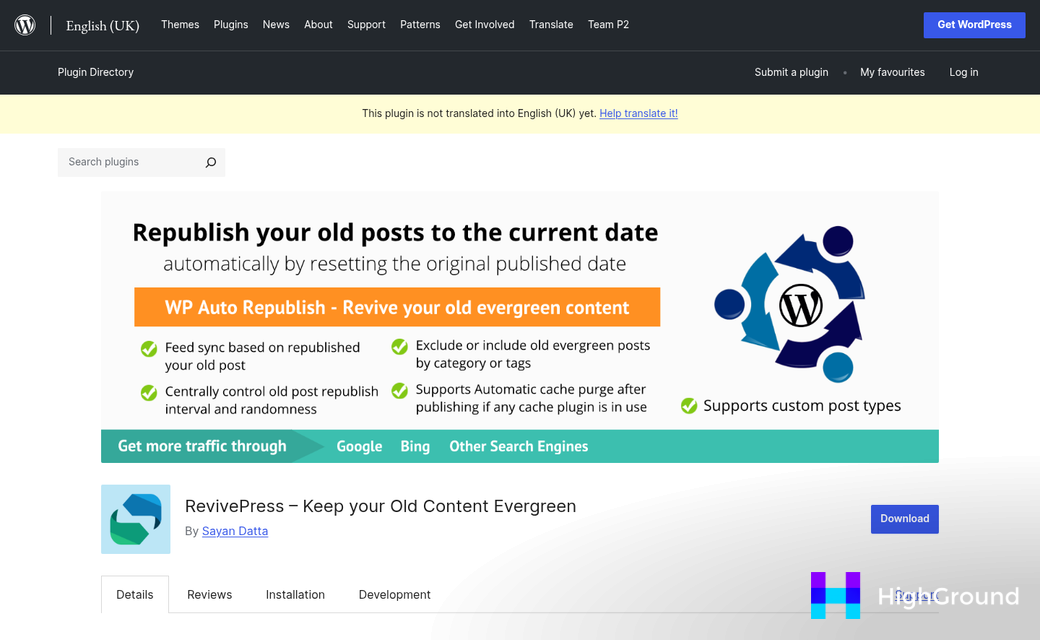
| WordPress Republishing Plugins | Lets you schedule a post to be republished with an updated date after you edit it | PublishPress, Revive Old Posts |
| Editorial Calendar Tools | Helps you plan and track which posts are due for a refresh each month | CoSchedule, Trello, Notion |
Rank trackers like Ahrefs and Google Search Console are worth watching closely. When a post drops in rankings for its target keyword, that's a signal to go in and update it instead of leaving it to fade.
On the WordPress side, a plugin like PublishPress lets you set a future date for a post to republish automatically after you've made edits - it pushes the updated date to the top, which signals freshness to readers and search engines without any manual steps on publish day. If you want to automate more of that process, auto queue and schedule posts with AI in WordPress can handle the timing for you.
Revive Old Posts works a little differently - it resurfaces older content on social media on a schedule you set, but it won't update the content itself. It does bring traffic back to posts you've already refreshed, though.
You don't have to use every category here. Start with a rank tracker to find what's slipping and a republishing plugin to manage the timing, then add more tools as your process grows. Pairing that with automated SEO and meta updates means refreshed posts are fully optimized before they go back out.
Building a Repeatable Update Schedule Without Burning Out
The reason most bloggers never get around to updating old posts is easy: it takes extra work on top of everything else. Only about 38% of bloggers update older content at all, and the ones who do like to go hard for a week and then drop it entirely. That pattern is the one worth breaking.
A basic rotation makes the difference. Refreshing between 5 and 10 posts per month is manageable and sustainable over the long term. That number is small enough to fit into your existing workflow without taking over your schedule.
Start by picking which posts to prioritize. Posts with declining traffic or keywords that have shifted in search volume are candidates to help with first. You can work through a short list each month instead of trying to look at your entire archive at once.
Batching is one of the most underrated ways to stay steady. Instead of updating posts one at a time as you remember them, set aside a dedicated block each month to work through your list in one go - it keeps the job contained and stops it from bleeding into everything else you do. Tools that let you find and replace text across all posts at once can make these sessions significantly faster.
A content calendar helps too. Add your update slots the same way you would a publishing deadline so they show up as commitments. Recurring reminders and auto-scheduling in your project management tool or an easy calendar alert can keep things moving without much mental effort on your part.
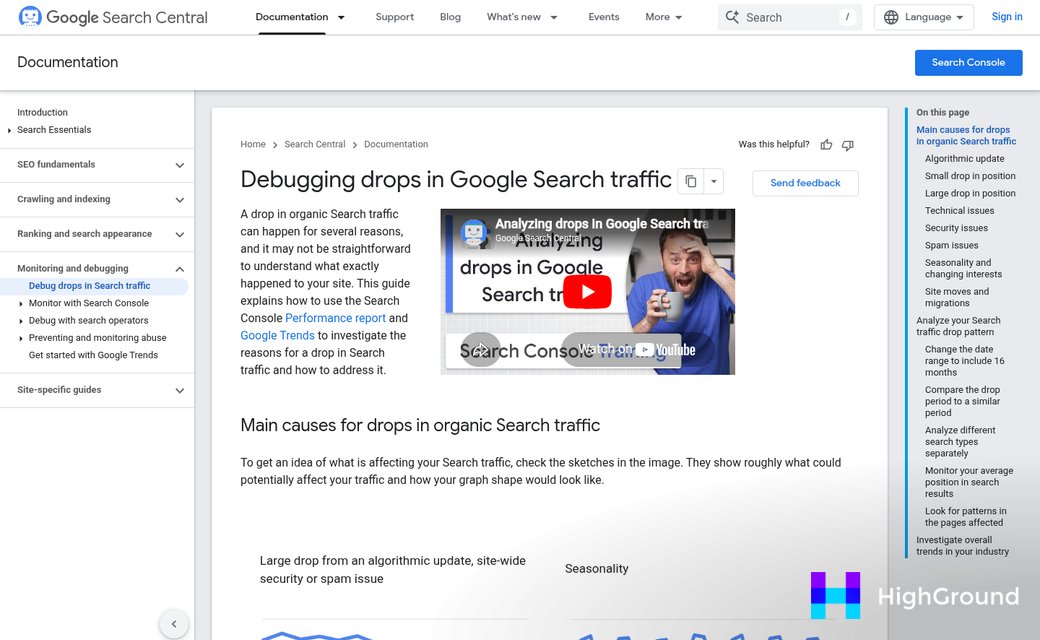
The trap to watch for is the content sprint - it's tempting to set aside a whole weekend, update 30 posts, and feel like you have solved the problem. But that strategy usually gives you a long gap before you do it again, which defeats the whole point.
A small, steady habit beats a sudden push every time. Think of it less as a project and more as a standing job that runs quietly in the background alongside your other work. The posts you refreshed three months ago will be performing while you work through the next batch.
Once the schedule is in place, the process gets faster. You start to find which posts need attention and which just need a few adjustments, so each update session takes less time than the last. If you're also refreshing things like meta descriptions across multiple posts, batching those changes together is just as effective.
Keep Your Old Posts Working as Hard as Your New Ones
You don't need to overhaul your entire content library overnight. Start small. Pick one post this week - best something that used to rank but has slipped - and run it through the process above. Update the stats, tighten the copy, refresh the visuals and give the SEO another pass.
That single post could be back on page one before you publish anything new.
FAQs
How much traffic do old blog posts actually generate?
HubSpot found that 76% of monthly blog views come from older posts, not newly published content. Updating old posts can increase organic traffic by as much as 106%, making your existing content library a significant growth engine.
What blog update tasks can be fully automated?
Tasks like date and timestamp updates, broken link detection, and republishing scheduling can be fully automated. However, fact-checking outdated statistics and rewriting thin content still require human input to ensure accuracy and quality.
How often should I update old blog posts?
Refreshing between 5 and 10 posts per month is a manageable and sustainable pace. Moz found that posts updated within a 12 to 18 month window rank noticeably higher than those left untouched.
What tools help identify which posts need updating?
Google Search Console is a strong starting point for tracking traffic drops and keyword ranking declines. Content audit platforms like Semrush and Screaming Frog can also automatically flag underperforming or outdated posts.
Does updating old posts actually improve search rankings?
Yes. Google confirmed content freshness as a ranking factor and reaffirmed it in 2020. Posts with refreshed content, updated statistics, and fixed broken links tend to recover lost rankings and attract more consistent organic traffic.

