


The WordPress block editor has matured considerably, and with AI writing assistants now integrating directly into it, the experience of drafting, editing, and refining content inside WordPress has changed in a real way. The context-switching is disappearing. The friction is shrinking. And the tools available to writers inside the editor itself have become legitimately helpful instead of just novelties.
This isn't a niche development happening at the edges of the WordPress ecosystem. A 2025 study found that the top 40 AI-driven WordPress plugins collectively pulled in 315 million combined visits in a single year; it's a signal that a giant portion of the WordPress user base is actively looking at what AI can do inside their publishing environment - and many of them are finding answers. Tools like HighGround.ai are an example of where things are heading: it brings Claude, ChatGPT, or Gemini directly into the block editor (and the classic editor), working across text, images, tables, links, and more, without ever making you leave the page.
This will be a helpful guide to how AI writing assistants work inside the WordPress block editor, what to look for when picking one, and how to actually get value out of them in your day-to-day publishing workflow.
Short Summary
You can use AI writing assistants inside the WordPress Block Editor by installing plugins like Jetpack AI, Bertha AI, or CodeWP. These tools integrate directly into the editor, adding AI-powered buttons or sidebar panels that let you generate, rewrite, summarize, or expand content within blocks. Some use OpenAI's GPT models. Simply install the plugin, connect your API key if required, select a block, and use the AI controls to draft or refine text without leaving the editor.
What "AI Inside the Block Editor" Actually Means
There's a difference between an AI writing tool and having one built into your editor. Most have the copy-paste strategy - you write a prompt in ChatGPT, copy the output and paste it into a WordPress block - it works. But you're always switching context and breaking your own flow.
AI that lives inside the block editor is different - it responds to what you're doing, in that block, on that page. You might select a paragraph and ask it to shorten the text, or position your cursor at the end of a sentence and ask it to continue. The interaction happens where the writing happens.
That distinction matters more than it sounds. When AI is a separate tab, it can become a separate job. You have to mentally step out of your draft, frame a prompt, review the result and then re-enter your document; it's friction and it adds up across a writing session. When the tool is embedded in the editor, it's part of the writing process instead of an interruption to it.
It's also worth being precise about what "block-level integration" means. A floating toolbar button that opens a chat window is not true integration. If you want to add ChatGPT to WordPress properly, the distinction matters.

Some integrations go further and read the surrounding blocks too - so the AI has a sense of what comes before and after the section you're editing. That context awareness changes what you can reasonably ask it for. A tool that only sees a single isolated paragraph will give you a different quality of help than one that understands where that paragraph sits in your content.
For day-to-day writing blog posts with AI in WordPress, that gap in capability is what separates a helpful integration from one that mostly looks the part.
How Native WordPress AI Tools Have Evolved
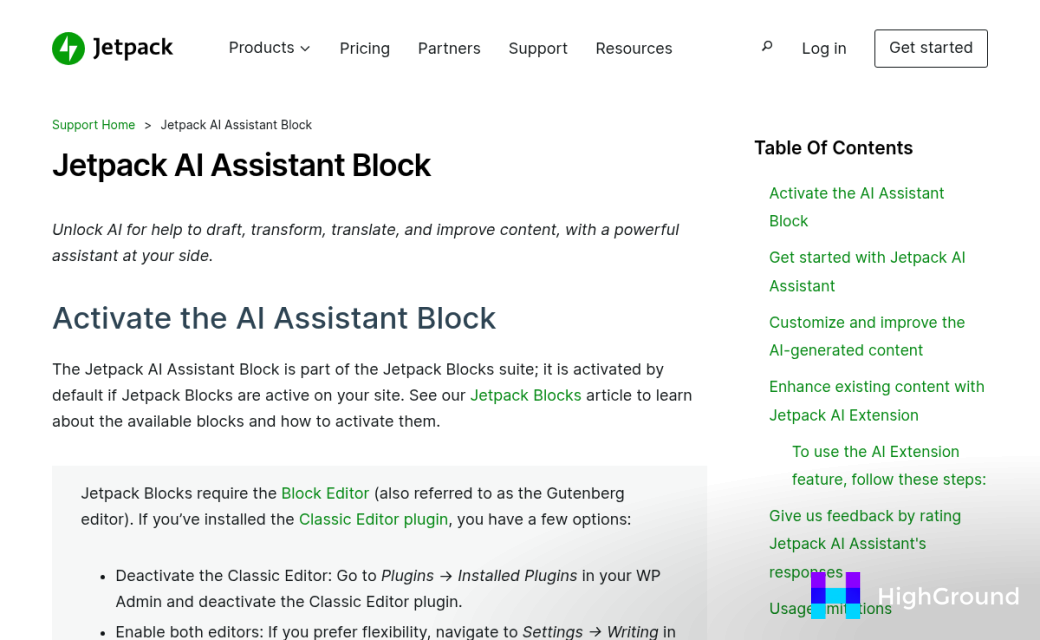
WordPress has been building AI writing tools in-house instead of watching them grow from the outside. That change became visible in June 2023 when Automattic added the Jetpack AI Assistant to the block editor.
The Jetpack AI Assistant sits directly inside the editor as a block. You can use it to draft content, adjust tone, translate text into 12 or more languages, and get quick suggestions without leaving the page. It comes with 20 free requests to get started, and after that it moves to a paid plan at around $10 per month. That pricing puts it within reach for most site owners who write.
Then in February 2026, WordPress.com rolled out its own native AI Assistant - separate from Jetpack but built with the same goal in mind. The aim was to bring AI-assisted writing closer to the core WordPress experience instead of treating it as a third-party add-on.
That's worth mentioning. When the company behind WordPress starts building AI into the editor itself, it signals where the platform is heading. These are not experimental side features tucked into a settings menu. They're becoming part of how WordPress expects you to write.
That matters for anyone who manages a WordPress site and wants to know what tools are already available before going looking for plugins. A lot of users don't realise these tools are right there inside their editor - and features like automatically adding FAQs with AI or auto-adding citations and references are closer than most people think.
The pace of these releases also says something. Less than three years separated the launch of Jetpack AI Assistant from the rollout of the native WordPress.com version; it's a fast timeline for a platform that has historically moved slowly with core changes.
Third-party plugins have been part of this picture too and have actually led the way in some respects - which is what the next section gets into.
Plugin-Based AI Assistants Worth Knowing About
The plugin ecosystem fills the gaps that native tools leave open. Some plugins add SEO, some add new block types, and others bring full AI writing interfaces directly into the editor. Knowing what does what helps you choose what to add and what to skip.
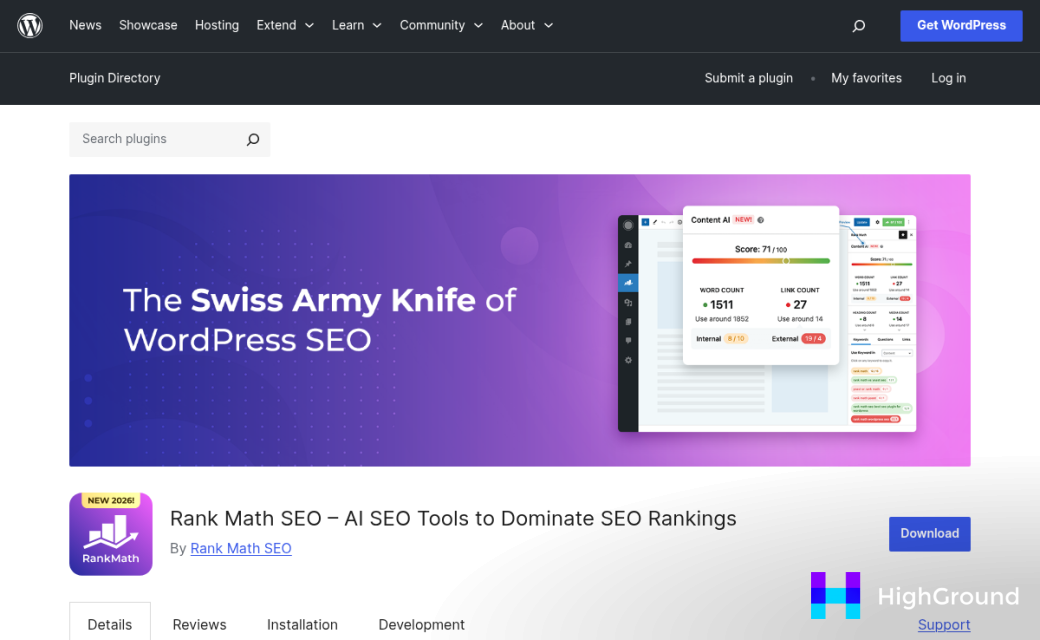
Rank Math is one of the most widely used SEO plugins in WordPress, with over three million installs and a 4.9 out of 5 rating. Its AI features connect content suggestions to SEO data, so you get writing help that's tied to keyword targets instead of generic prompts. That combination is hard to get from a writing-only tool.
On the block side, tools like Spectra extend what the editor can do visually and also bring in content-focused features. The Pro version runs around $59 per year, which is reasonable if you build content-heavy sites and want more than the default block library. These tools aren't pure AI assistants. But they create an environment where AI-assisted writing fits.
The honest trade-off with plugins is that each one can add weight to your editor. Too many tools running at once can slow things down and make the interface harder to get through - it's worth being selective instead of installing everything that sounds helpful.
There's also the question of overlap. If WordPress adds a native feature that does what your plugin already does, you're maintaining redundancy. Plugins that do a tight, focused job tend to age better than ones that try to do everything at once. If you rely on an SEO plugin, for example, it's worth knowing how to bulk update meta descriptions in WordPress without disrupting your rankings when you make changes.
Native tools and plugins can coexist as long as they don't clash. A lot of site owners run a native grammar layer alongside an SEO plugin and a dedicated AI assistant without any friction. Some also take advantage of AI-driven SEO and meta automation to keep that layer from becoming a manual bottleneck.
The plugin ecosystem expands what's possible inside the block editor, and the right combination depends heavily on how you work and what you publish.
HighGround.ai Brings Claude, ChatGPT, and Gemini Into Your Editor
Most AI writing tools lock you into one model. HighGround.ai takes a different approach, letting you choose between Claude, ChatGPT, and Gemini from inside the editor itself. That flexibility matters more than it might appear.
Each model has its own strengths. Claude does well with longer, more structured writing. ChatGPT is flexible and familiar to most users. Gemini pulls from Google's knowledge base in ways that can be helpful for research-heavy content. The ability to switch between them without leaving WordPress means you can match the tool to the job instead of the other way around.
That range makes it helpful at multiple points in a single editing session instead of just at the start when you're staring at a blank page.
Picture a workflow: you draft a section in a paragraph block, ask Claude to tighten the opening sentence, then switch to a table block and use ChatGPT to fill in missing data or reformat a row. A few minutes later you're changing a heading with Gemini to better match your target phrase. All of this happens inside the editor without a separate tab or tool to manage.
It also works with the classic editor for anyone who hasn't made the full move to blocks; it's a helpful detail worth learning about if your site runs a combination of old and new post formats.
HighGround.ai separates itself from the single-model tools covered earlier through a whole experience that is built around how writers actually move through a post, block by block, choice by choice, instead of treating AI as a one-time drafting step you run before you start editing.
Where AI Helps Most Inside a Writing Workflow
Writers and developers using AI inside WordPress report finishing repetitive tasks 40-60% faster. That number makes sense - think about what those tasks actually are: duplicating block structures, rewriting the same sentence five times, or filling in placeholder text across a long page layout.
The gains are most noticeable in a few moments. A sluggish intro that you've rewritten three times by hand can take seconds to fix with a well-placed AI prompt. Anchor text for internal links is another one - most writers default to "click here" or the page title, and AI can generate more descriptive alternatives in one pass.
Table content is worth mentioning on its own. Filling in comparison tables manually is slow, and it's one of the tasks where AI does a great job because the structure is predictable. You still need to check the facts for accuracy. But a faster populated draft table lets you focus on the editorial decisions instead.

| Workflow Task | AI Usefulness | Still Needs Human Review? |
|---|---|---|
| Rewriting introductions | High | Yes - for tone and fit |
| Generating table content | High | Yes - check facts |
| Improving anchor text | Medium | Sometimes |
| Repetitive block copy | High | Minimal |
| Core argument or analysis | Low | Always |
Content creators who publish frequently get the most out of AI assistance because they hit the same friction points over and over. Developers building out page templates also benefit when they need filler copy that's more coherent than Lorem Ipsum.
The place where over-use of AI hurts is in the body of a post - the analysis, the opinions, the knowledge that makes a piece worth reading. AI-generated paragraphs in those sections read flat and generic because the model draws from large patterns instead of experience - it's worth being honest with yourself about whether you're reaching for AI to think for you versus using it to work faster.
What to Watch Out For When AI Writes With You
The biggest thing to keep in mind is that AI writing tools are confident by default. They don't flag uncertainty the way a careful human editor would. A sentence can sound authoritative while being factually wrong, so it's worth treating every output as a first draft that still needs your eyes on it.
Fact-checking is the part people skip when the writing reads well. Statistics, product facts, dates, and named references are all areas where AI can get things subtly wrong. A quick check before you hit publish takes less time than a correction after the fact.
Voice is another concern. If you use AI to generate multiple blocks across a single post, the tone can drift in ways that feel inconsistent. Your brand could be conversational in the intro and then oddly formal by the third section. Reading the whole post out loud before you publish helps catch those gaps.
Over-editing is a less obvious problem but it happens. You accept a suggestion, change it, prompt again, change more, and eventually the paragraph doesn't sound like anyone in particular. The content can become technically correct but flat. At that point it's usually better to delete the block and start that section fresh in your own words.

It can write around a topic without tackling it, and that's also the case if your prompt was vague. The output might tick the surface boxes while missing the point you wanted to make. Tools like Profound and WriteSonic handle this differently, so it's worth knowing how your tool of choice responds to loose instructions.
AI is a writing partner that has read quite a bit but hasn't lived any of it - it doesn't know your audience the way you do. Your editorial judgment is still the part that matters most in the process, and no tool changes that.
Build Smarter Pages Without Leaving the Editor
That answer looks different for everyone. Some writers grow with a lightweight plugin that can help them when they get stuck. Others want the freedom to switch between models depending on the job - leaning on Claude for long-form drafts, ChatGPT for punchy copy, or Gemini when they need something in between.
The best workflow is the one that quietly disappears into your process and makes the work feel easier. So don't overthink it, pick one tool, open a new post, and get started where it earns its keep.
FAQs
What is an AI writing assistant in WordPress?
An AI writing assistant integrated into WordPress lets you draft, edit, and refine content directly inside the block editor without switching to external tools like ChatGPT. It responds to your actions in real time, block by block, reducing friction in your publishing workflow.
How does HighGround.ai work inside WordPress?
HighGround.ai brings Claude, ChatGPT, and Gemini directly into the WordPress block editor. You can switch between AI models depending on the task, working across text, images, tables, and links without ever leaving the page.
What WordPress AI tools are already built in?
Jetpack AI Assistant launched in June 2023 and sits inside the editor as a block, offering drafting, tone adjustment, and translation. WordPress.com also rolled out its own native AI Assistant in February 2026, bringing AI writing closer to the core experience.
Does AI replace human editing in WordPress content?
No. AI tools are confident by default but can produce factually incorrect or tonally inconsistent content. Human review remains essential, especially for facts, statistics, core arguments, and maintaining your brand voice throughout a post.
Which writing tasks benefit most from AI in WordPress?
AI works best for repetitive tasks like rewriting introductions, filling comparison tables, generating anchor text, and duplicating block copy. Core analysis and original arguments still require human input, as AI draws from patterns rather than experience.

