


This review puts Anyword through its paces across real writing tasks, from ad copy and email subject lines to long-form blog content. The goal is straightforward: figure out what it does well, where it falls short, and how it stacks up against the other AI writing tools competing for your attention and budget.
Whether you’re a solo content creator, a marketer managing multiple campaigns, or part of a larger team looking for a scalable writing solution, the answer to “is Anyword worth it?” depends heavily on how you plan to use it. Let’s break that down.
Short Summary
Anyword is a solid AI writing tool that performs well for marketing copy, ads, and email subject lines. Its standout feature is the predictive performance score, which estimates how well content will resonate with audiences. Compared to competitors like Jasper and Copy.ai, Anyword excels in data-driven copy optimization but offers fewer general writing templates. It’s best suited for marketers focused on conversion-driven content. Quality is generally strong for short-form copy but can be inconsistent for longer content. Overall, it’s a reliable choice for performance-focused marketing teams.
What Anyword Actually Does (Beyond Just Writing Copy)
Most AI writing tools generate text based on patterns in language. Anyword does that too, but it adds a layer that most others skip - it scores the copy it writes based on how likely that copy is to perform with a real audience. That predictive score sits right next to your generated text, and it changes as you edit.
The reason that scoring means something is that Anyword’s model was trained on roughly 2 billion real marketing data points. These aren’t just examples of good writing - they’re actual campaign results, ad performance metrics, and conversion data from across the web. So when the tool generates a headline or ad variant, it isn’t just guessing at what sounds persuasive. It’s drawing on what has actually worked for real people in real contexts.
That distinction matters more than it might appear. A language model trained on general text learns to produce fluent, coherent writing. A model trained on performance data learns something different - it learns what kinds of messages move people to act. Those two things are not the same, and the gap between them is where a lot of generic AI copy tends to fall flat.
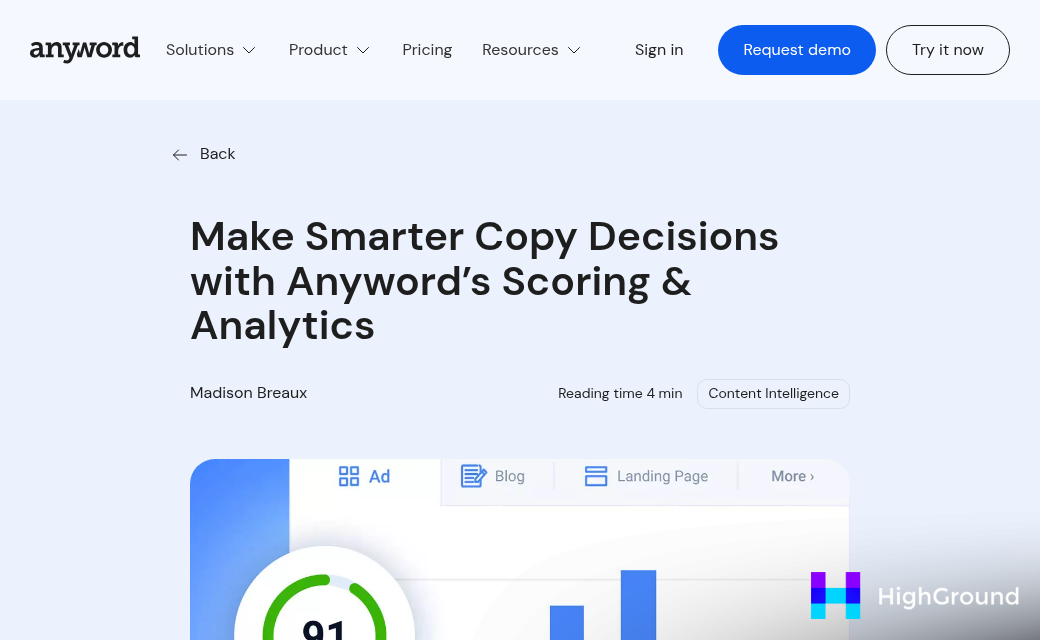
Anyword also lets you define your target audience before you generate anything. You can describe who you’re writing for, and the tool adjusts its predictions to reflect how that specific group is likely to respond. This means the score you see isn’t just a generic quality rating - it’s an estimate tied to your audience.
The platform covers a wide range of formats including ads, email subject lines, landing page copy, and social posts. You can generate multiple variants at once and compare their scores side by side. It’s built more like a testing and optimization tool than a blank-page writing assistant, which is worth keeping in mind as you evaluate what it’s for.
Breaking Down the Predictive Score - What the Numbers Mean
The predictive performance score is one of Anyword’s most talked-about features, and it deserves a closer look. When you see a score of 81, that means the copy is predicted to outperform 81% of the 22,560+ similar texts in Anyword’s training dataset. That’s not a vague quality rating - it’s a benchmarked position against real-world copy.
That kind of context matters a lot when you’re making fast decisions. Instead of asking whether the copy feels right, you’re asking whether it ranks well against tested copy. Those are very different questions, and the second is a lot easier to act on.
Anyword claims its model predicts which of two copy variations will perform better with about 82% accuracy. For marketers who A/B test regularly, that’s a number worth paying attention to.
To make the score ranges easier to read, here’s how the tiers roughly break down.

| Score Range | Predicted Performance Tier | What It Means |
|---|---|---|
| 0-40 | Below Average | Likely to underperform most similar copy |
| 41-60 | Average | On par with a broad middle range of tested copy |
| 61-80 | Above Average | Predicted to beat the majority of comparable texts |
| 81-100 | Top Tier | Ranks among the highest-performing copy in the dataset |
One thing worth keeping in mind is that the score is only as useful as the dataset behind it. Anyword pulls from performance data across multiple ad platforms and channels, so the benchmark isn’t pulled from thin air. That said, the score reflects predicted performance for a broad audience, not necessarily your specific one.
Think of it as a strong signal, not a guarantee. It gives you something concrete to compare variations against, which is more useful than going back and forth on word choices with no reference point at all.
Real Numbers - Clicks, Conversions, and Email Rates
Anyword has reported some figures worth looking at closely, because the gaps between low-scoring and high-scoring copy are bigger than you might expect.
In one reported case, copy chosen based on Anyword’s scores generated 23% more clicks at a similar cost per conversion. That might sound modest, but consider what it means for a solo marketer or a small team with a fixed ad budget. You’re not spending more - you’re getting more out of what you already have. That’s a meaningful difference when every dollar is accounted for.
The email numbers are even harder to ignore. Anyword has reported a jump in email click-through rates from 2.5% to 8% when using its scoring to choose subject lines and body copy. A move from 2.5% to 8% means roughly three times as many people clicking through. For a list of 10,000 subscribers, that’s the difference between 250 clicks and 800 clicks from a single send.
The scoring system is trained on performance data across a wide range of industries and copy formats, so it draws on patterns from real campaigns rather than general writing rules. That gives the score predictive weight that goes beyond grammar or tone checks.

Anyword also claims a 30% lift in business outcomes for teams that use its tools consistently. That’s a broader claim and harder to pin down without knowing what “business outcomes” includes in each case. But it lines up with the idea that better copy selection compounds over time - each campaign run with stronger copy builds a slightly better baseline.
For a small team, the value is in having a way to make faster decisions about which copy to use without running every variation through a full A/B test before moving forward.
Where Anyword’s Limits Show Up
The reported wins are real, but they come with some friction worth knowing about before you commit. Prediction caps are one of the first things to get familiar with.
Paid plans include between 100 and 500 predictions per month depending on the tier you choose. That sounds like a lot until you start running multiple A/B tests across different channels at the same time. Each scored variation counts toward that cap, so a busy launch week can eat through your allowance faster than you’d expect.
The free trial gives you just 25 predictions over 7 days. That’s enough to get a feel for the interface, but it’s not much room to test the tool against a real workload. Consider honestly how many predictions your workflow would use in an average month before you pick a plan.
If you’re in a niche industry, the scoring model may also be less reliable than it sounds. Anyword’s predictive scores come from training on broad marketing data, which works well for mainstream consumer products and general e-commerce. But if you’re writing for something like medical devices, B2B infrastructure software, or highly regulated financial products, the model hasn’t seen as much of your specific audience’s behavior. A high score in that context doesn’t guarantee the same lift you’d see in a more data-rich category.
Non-English content runs into a similar wall. Anyword does support multiple languages, but the depth of its scoring data outside of English is thinner. Predictive performance in other languages hasn’t been documented as thoroughly, so treat those scores with a bit more skepticism.
None of these are dealbreakers on their own, but they do add up to a picture that matters. Anyword works best when you’re writing in English, in a well-represented market, and you have the headroom in your plan to test variations at scale. Outside of that setup, the predictive layer becomes less of a reliable guide and more of a rough signal to factor in alongside your own judgment.
How Anyword Stacks Up Against Other AI Writing Tools
Most AI writing tools focus on one thing: getting words on the page fast. Anyword does that too, but it adds a layer that most tools skip entirely - a score that predicts how well your copy will perform with a real audience.
That predictive angle is the main thing that separates Anyword from general-purpose AI writers. A content-focused tool might help a blogger draft articles quickly, but it won’t tell you whether your headline is likely to get clicks. Anyword tries to answer that question before you publish, which is a different kind of value.
The table below breaks down how Anyword compares to other tool types across a few features that matter to most writers.
| Feature | Anyword | General AI Writers | SEO-Focused Tools |
|---|---|---|---|
| Predictive performance scoring | Yes | No | No |
| Free trial length | 7 days | Varies (some unlimited free tiers) | Limited or paid only |
| Word or generation limits | Yes, on lower plans | Yes, varies by plan | Yes, varies by plan |
| Best use case | Paid ads, email, conversions | Blog posts, general content | Long-form, search rankings |
| Audience targeting built in | Yes | Rarely | Sometimes |
If you write a lot of long-form content for search, an SEO-focused tool will likely serve you better. General AI writers are a solid fit for bloggers or teams that just need fast drafts without much optimization.
Anyword earns its place most with people who write copy where performance is measurable - ads, landing pages, promotional emails. The scoring feature only makes sense when there’s something to optimize toward, and not every writer is in that position.
Who Gets the Most Out of Anyword (And Who Might Not)
Anyword is built around performance prediction and data-driven copy testing. That’s a great fit for some people and a bit much for others.
Users who tend to get real value from it
If your work involves running paid ads at scale, Anyword’s predictive scoring starts to make a lot of sense. You’re generating lots of variations and you need a way to rank them without waiting on A/B test results every single time. The same applies to email marketers who want to test subject lines before they go out to a list of thousands.
- Paid media buyers who run multiple ad sets across platforms
- Email marketers who care about open rates and want data to back up copy choices
- Growth teams testing landing page headlines or short-form ad copy
- Marketing agencies that handle copy for several clients at once
These users get real mileage from the performance scores because they have enough volume to make the predictions worth acting on.

Users who might find it more than they need
A hobby blogger who writes a couple of posts a month isn’t going to use 500 performance predictions in a billing cycle. The tool’s strongest features only shine when you have volume and a goal tied to conversion. Without that context, it can feel like a lot of dashboard for not much payoff.
- Casual bloggers or content creators without a paid distribution budget
- Freelance writers who mostly handle long-form editorial work
- Small teams that already have a simpler AI writing tool they’re happy with
- Anyone who doesn’t run ads or track email performance metrics
That doesn’t make Anyword a bad tool - it just means the fit matters. The predictive layer is what you’re partly paying for, and if that part doesn’t match your workflow, you’re leaving the most interesting features on the table.
So, Is Anyword Worth Adding to Your Stack?
If you’re still on the fence, the free trial is the most honest way to settle it. As you test it out, run it against copy you already know performs well - ads with strong historical click-through rates, emails with high open rates, landing pages that convert. If Anyword’s scores align with what you’ve seen in practice, that’s a strong signal the tool is calibrated in a way that will actually help you. If the scores feel off, that’s useful information too.
Ultimately, the best AI writing tool isn’t the one with the most features or the highest benchmark scores - it’s the one you’ll open consistently, trust enough to act on, and refine over time. For marketers who want performance data woven into the creative process, Anyword makes a compelling case for itself. Give it a fair run and let your own results tell the story.
FAQs
What makes Anyword different from other AI writing tools?
Anyword adds a predictive performance score to generated copy, trained on 2 billion real marketing data points. Unlike general AI writers, it predicts how likely your copy is to convert with a specific audience, not just whether it sounds fluent.
How accurate is Anyword’s predictive scoring system?
Anyword claims its model predicts which of two copy variations will perform better with approximately 82% accuracy. Scores are benchmarked against 22,560+ real-world copy examples, making them a concrete reference rather than a vague quality rating.
Who benefits most from using Anyword?
Anyword works best for paid media buyers, email marketers, growth teams, and marketing agencies who generate high volumes of copy and need data-backed decisions. It’s less useful for casual bloggers or freelancers without performance-driven goals.
Are there any notable limitations to Anyword?
Prediction caps (100-500 per month depending on plan) can run out quickly during busy campaigns. Scoring is also less reliable for niche industries, regulated sectors, and non-English content, where training data is thinner.
What real-world performance improvements has Anyword reported?
Anyword has reported 23% more clicks at similar costs and email click-through rates jumping from 2.5% to 8% when using its scoring system. Teams using it consistently have reportedly seen a 30% lift in broader business outcomes.

