

To configure writing styles, go to HighGround → Settings, then click the Pipeline tab.
These are the six writing styles available in the editor’s Style dropdown (configured in your Writing Preferences). Each style is a prompt that tells the AI how to adjust its tone, structure, and word choice. You can edit any of them to better match your brand voice or audience expectations.
Adaptive Voice AI (Recommended)
Adaptive Voice AI scans your existing website content and generates a custom style guide that matches your exact tone, voice, and writing habits. It runs automatically when you first connect your API key - no setup required. The first generation is free, and you can re-learn anytime from the Advanced tab.
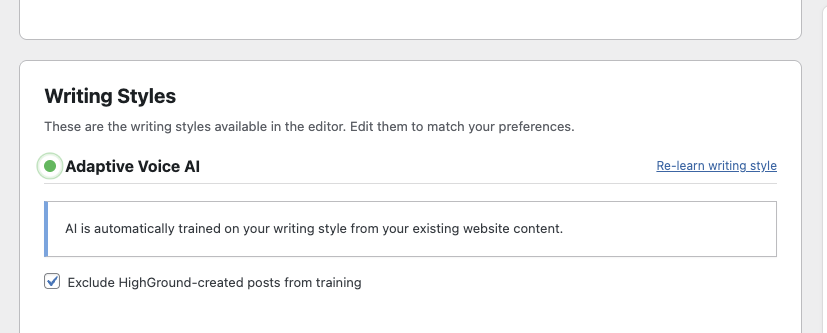
It also excludes any content written by HighGround, so it only trains on your voice.
Custom Writing Styles (Advanced)
If you prefer to have more control over individual writing styles instead of having AI automatically learn from your content, you can create your own writer personas.
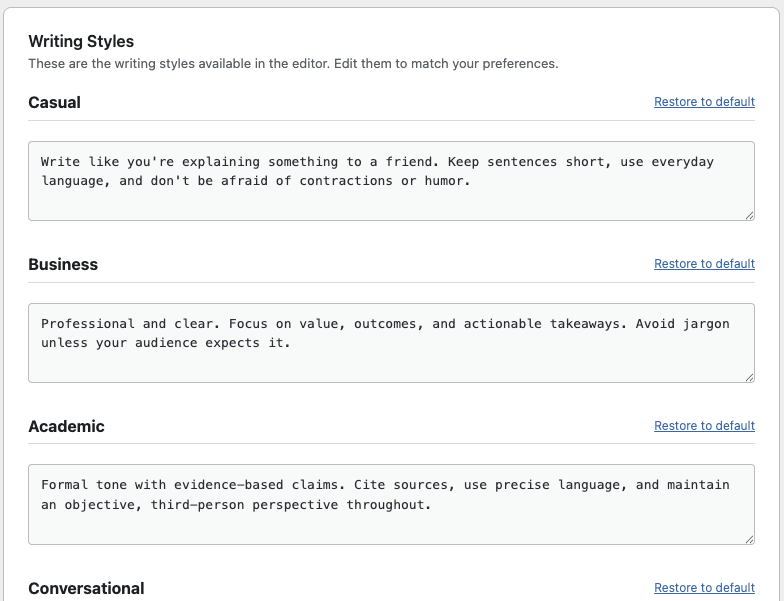
- Casual - A relaxed, approachable tone. Good for blogs, lifestyle content, and audiences that respond to a friendly, down-to-earth voice.
- Business - Professional and polished without being stiff. Suited for B2B content, company blogs, and industry-facing articles.
- Academic - Formal and precise, with structured argumentation and careful sourcing. Best for research-heavy topics, whitepapers, and educational institutions.
- Conversational - Similar to casual but more interactive - as if the writer is talking directly to the reader. Works well for how-to content, personal finance, health and wellness, and similar niches where readers appreciate a human touch.
- Journalistic - Fact-forward and objective, with an emphasis on clarity and brevity. Modeled after editorial and news writing conventions.
- Technical - Detail-oriented and precise, comfortable with jargon and specificity. Designed for developer documentation, engineering blogs, and technically sophisticated audiences.
You can use whatever you’d like here and experiment with the results.
How They Work
Each style is a free-text prompt that gets injected into the writing pipeline alongside your other settings. When you select “Casual” in your Writing Preferences (or override it per-post in the editor), the contents of that style’s prompt field are included in the AI’s instructions. This means you have full control - you can tweak the wording, add constraints, or completely rewrite a style to create something custom.
Each style has a Restore to default button that resets it to HighGround’s original prompt if you want to undo your changes.
Saving
Click Save Writing Styles to apply your changes. Updated styles take effect on the next post HighGround creates. Existing content is not retroactively rewritten.

