

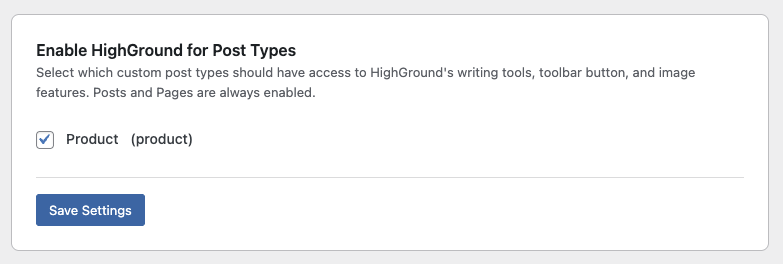
HighGround includes full-spectrum WooCommerce support. When WooCommerce is active and the Product post type is enabled in HighGround → Settings → Post Types, all WooCommerce-specific features activate automatically. No additional configuration is required.
Most HighGround features work with WooCommerce products out of the box, including Proofreading, Write Image Alt Text, Add Additional Images, Replace Images, Optimize Permalink, Optimize Meta Description, Optimize Open Graph Tags, and Optimize Focus Keyword. The features below are built specifically for WooCommerce.
Updating Products
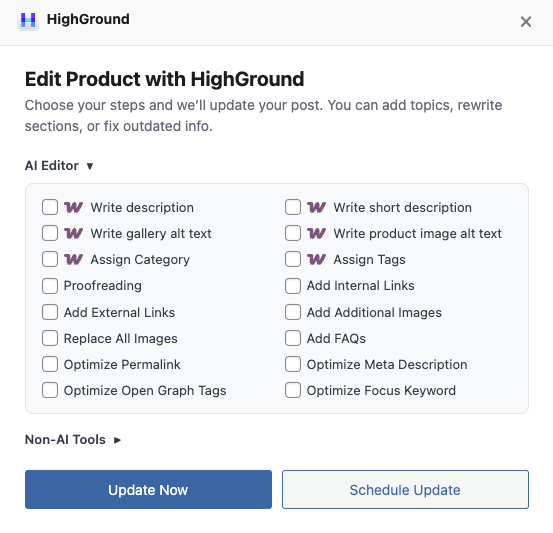
The Update With HighGround modal includes six WooCommerce-specific pipeline steps:
- Write Description - Rewrites or generates the full product description using your AI provider. This is the main content area of the product page, where you'd typically include detailed features, use cases, and selling points.
- Write Short Description - Rewrites or generates the short description that WooCommerce displays near the product title and price. This is usually a brief summary or hook designed to convert browsers into buyers.
- Write Gallery Alt Text - Generates alt text for every image in the product's gallery. Each image is evaluated individually so the alt text is specific to what's shown, not a generic repeat of the product name.
- Write Product Image Alt Text - Generates alt text for the product's featured image. This is separate from gallery images and targets the main image displayed at the top of the product page.
- Assign Tags - Assigns relevant product tags based on the product's content, similar to how HighGround assigns post tags for blog content.
- Assign Categories - Assigns the product to appropriate WooCommerce product categories based on its content.
Editing Products Directly
The Edit With HighGround toolbar button appears inside the WooCommerce product editor, giving you the same inline editing experience you're used to on posts and pages. Two content areas are available:
Product Description - Click the toolbar button above the main description editor to open the HighGround writing modal. You can write a new description from scratch or edit the existing one with custom instructions.
Short Description - The toolbar button also appears above the short description editor. Same workflow, just targeting the shorter content block.
Get New Image
The Get New Image hover button is available on both the Product Description and the Short Description. Hover over any image inside either editor and the button appears, letting you generate a fresh replacement image without leaving the product editor.
Post Overview Columns
When WooCommerce is detected and the Product post type is enabled, three new columns appear on the Post Overview screen:
- Gallery Images - Shows how many images are in each product's gallery at a glance.
- Gallery Images Without Alt Text - Flags products that have gallery images missing alt text, so you can quickly identify which products need attention.
- Short Description - Displays whether or not a product has a short description, making it easy to spot gaps across your catalog.
Content Overview
The Content Overview section automatically supports WooCommerce product categories and product tags alongside your standard post categories and tags. You can browse, filter, and manage products the same way you would blog content.
Clicking the Edit With HighGround button on any product within Content Overview opens the same WooCommerce-specific edit modal, so you can make changes without navigating to the individual product editor.
Review Moderation
HighGround can moderate and reply to WooCommerce product reviews the same way it handles blog post comments. To configure review moderation, go to HighGround → Settings → Comments.
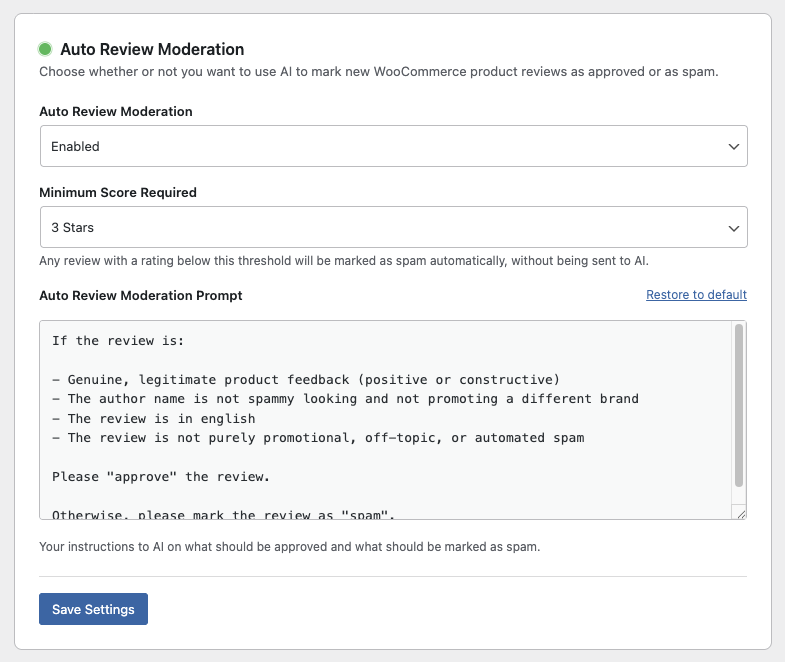
Automatic approval - Define the criteria for how and when new reviews are approved by AI. Reviews that meet your standards are approved automatically.
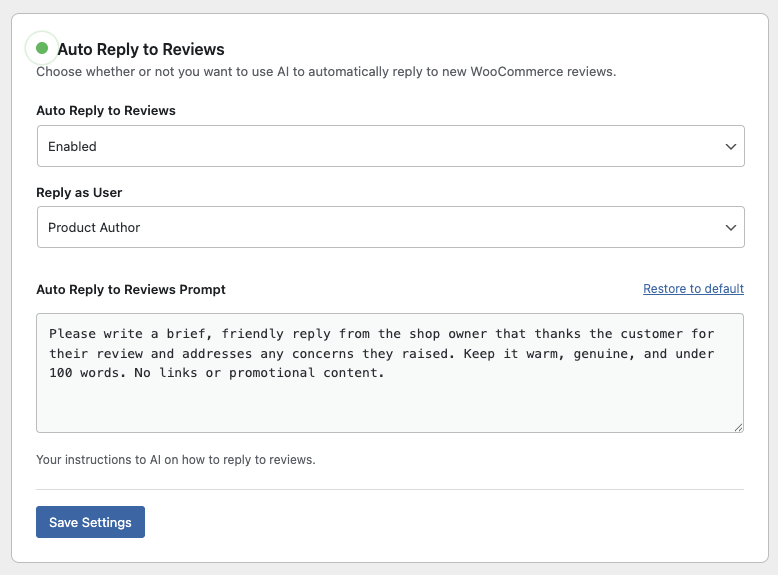
Automatic replies - HighGround can generate and post a reply to approved reviews on your behalf, using the same tone and voice settings you've configured for comment replies.
Minimum rating threshold - Optionally set a minimum star rating for AI review. Any review that falls below the threshold is automatically disapproved without spending credits. This is useful if you want to manually handle low-rating reviews yourself while letting AI take care of the positive ones.

